



5×8 Hard Cover Novella Mockup for Canva
$25.00
Use this 5×8 Hard Cover Novella Mockup for Canva to Showcase your Covers, End Papers, Spredges, 3 Spine Widths, and Slip Covers – for Book Designers, Authors, and Publishers
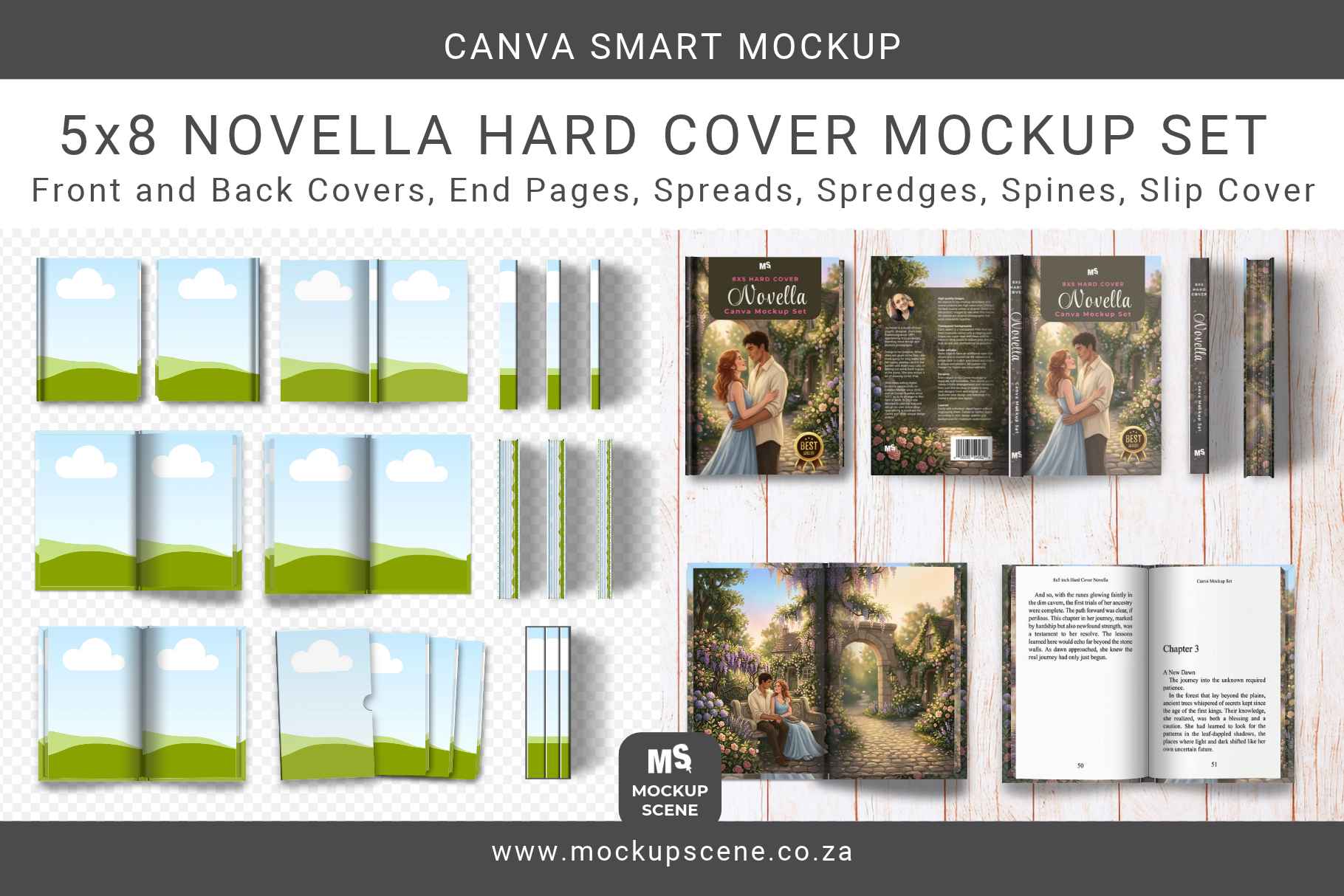
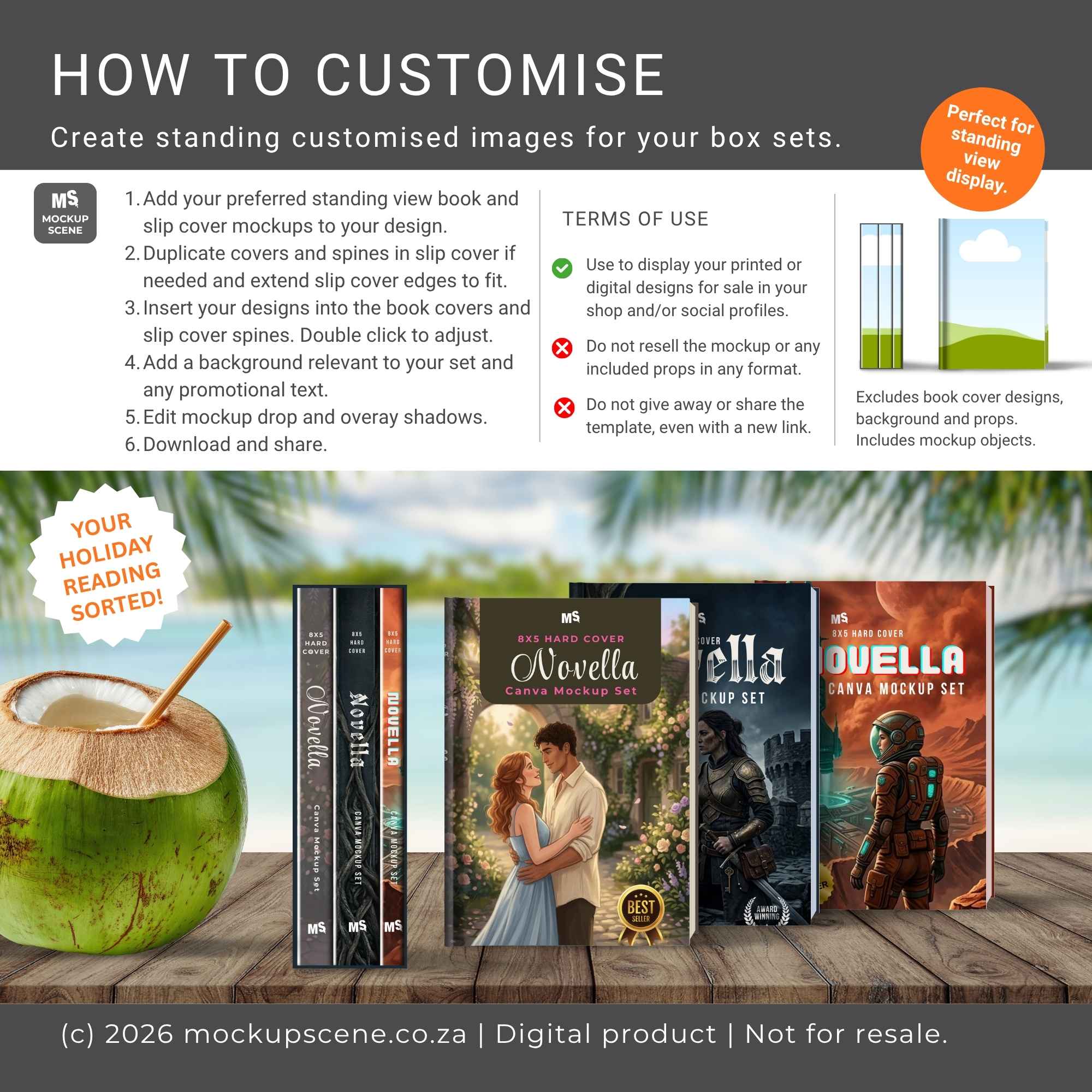
Present your book covers, interior spreads, and special edition details with this ultra-versatile 5×8 Hard Cover Novella Canva Smart Mockup set!
Whether you are an author promoting a new book launch, a book cover designer showcasing client work, or an indie publisher styling promotional graphics for social media, this comprehensive Mockup Scene Builder gives you total control.
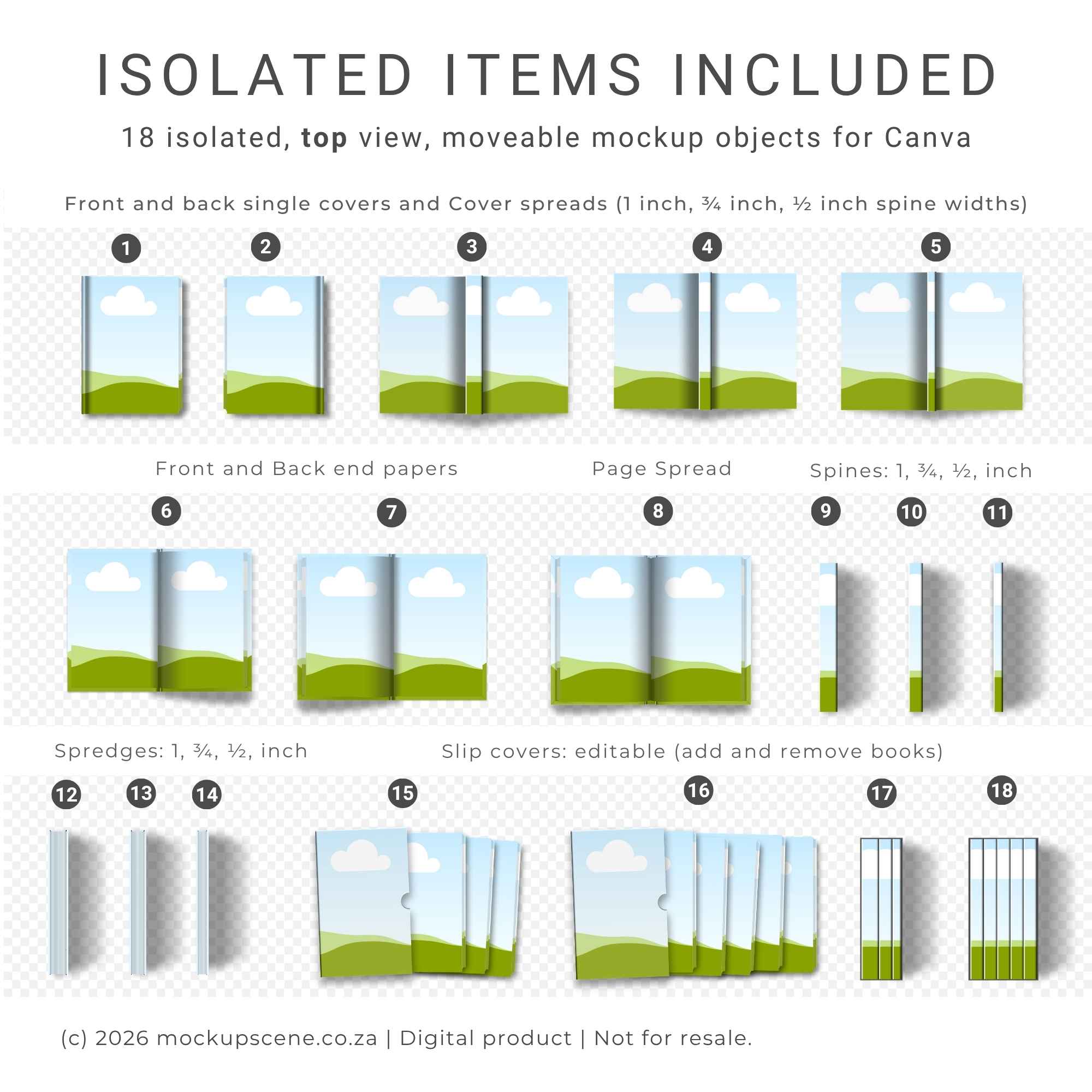
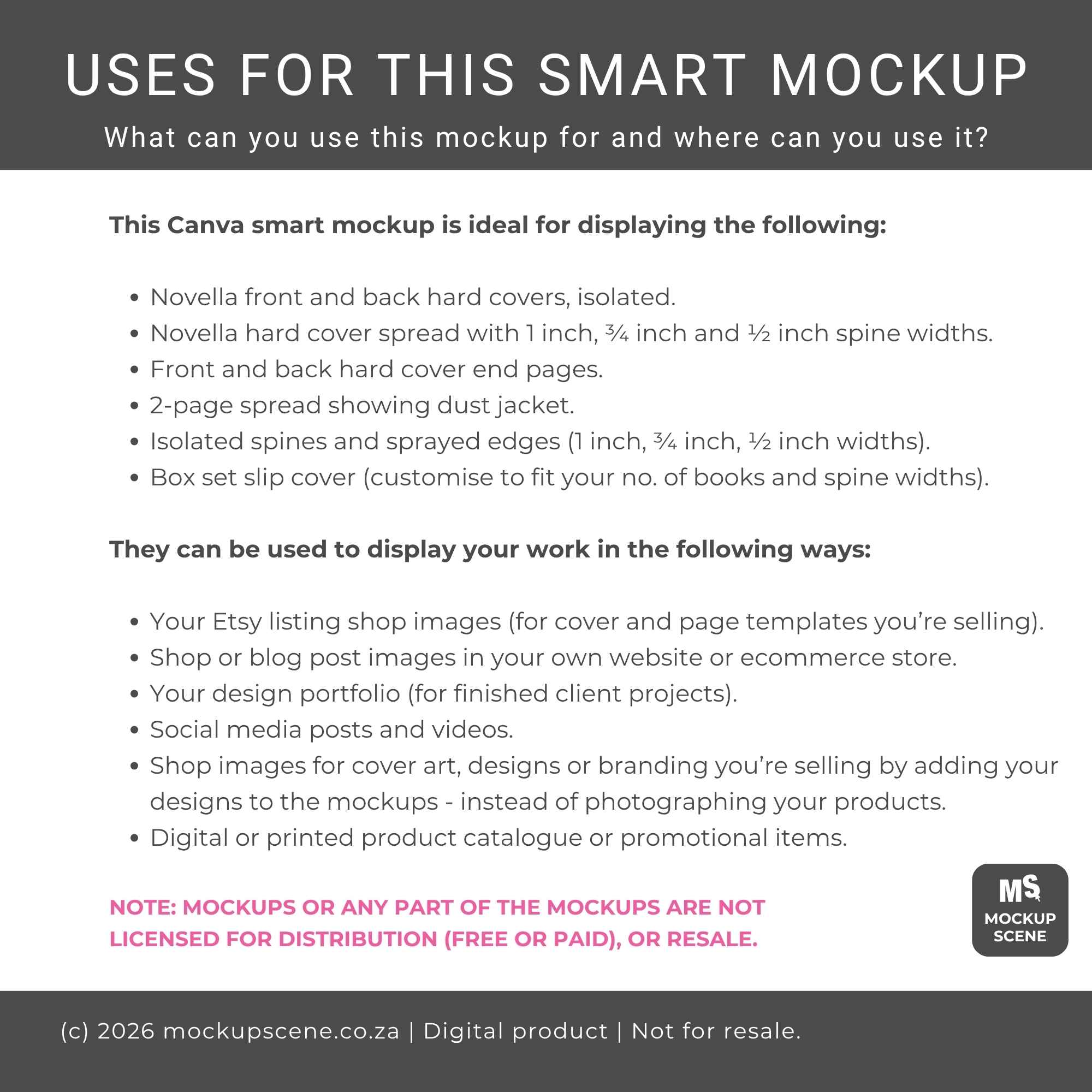
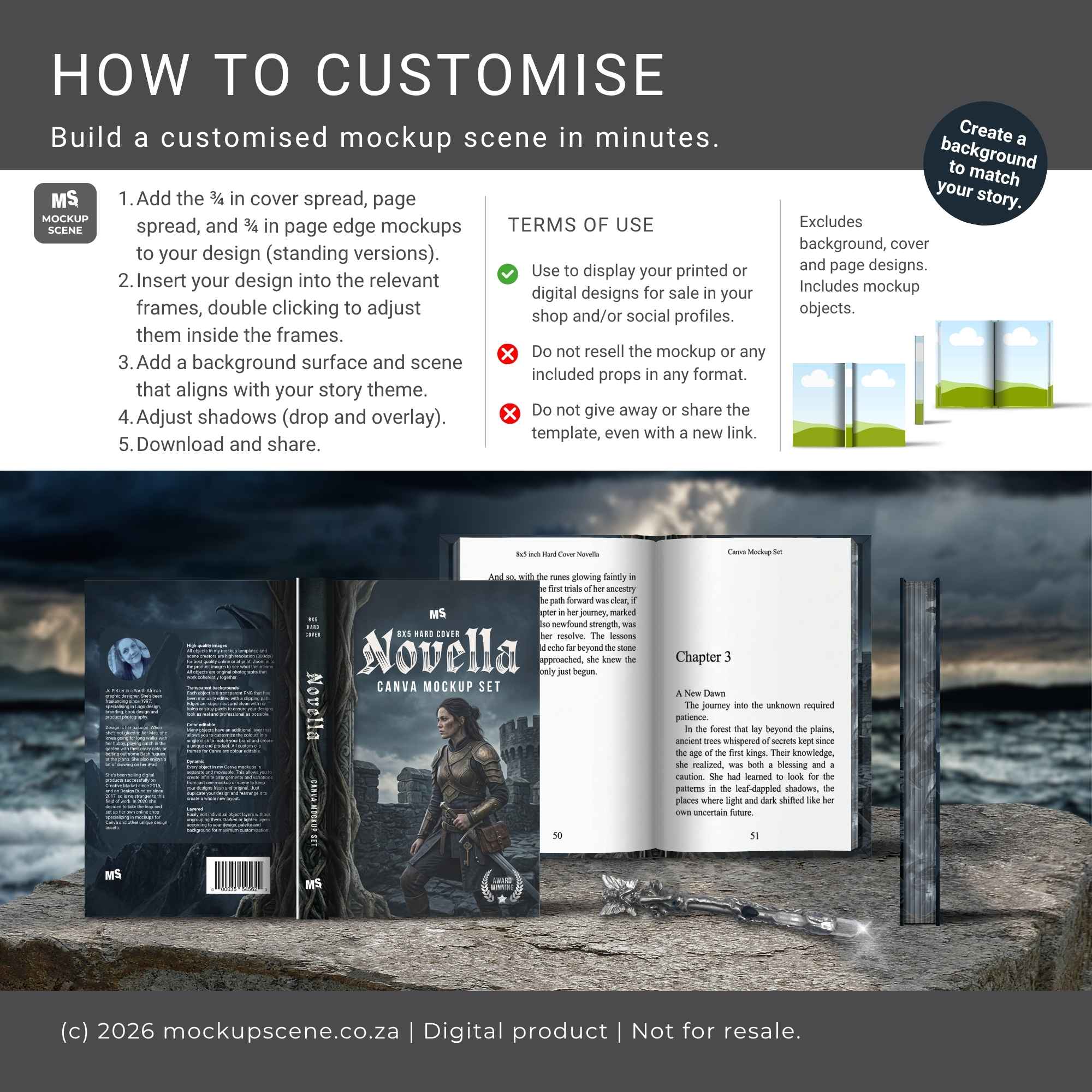
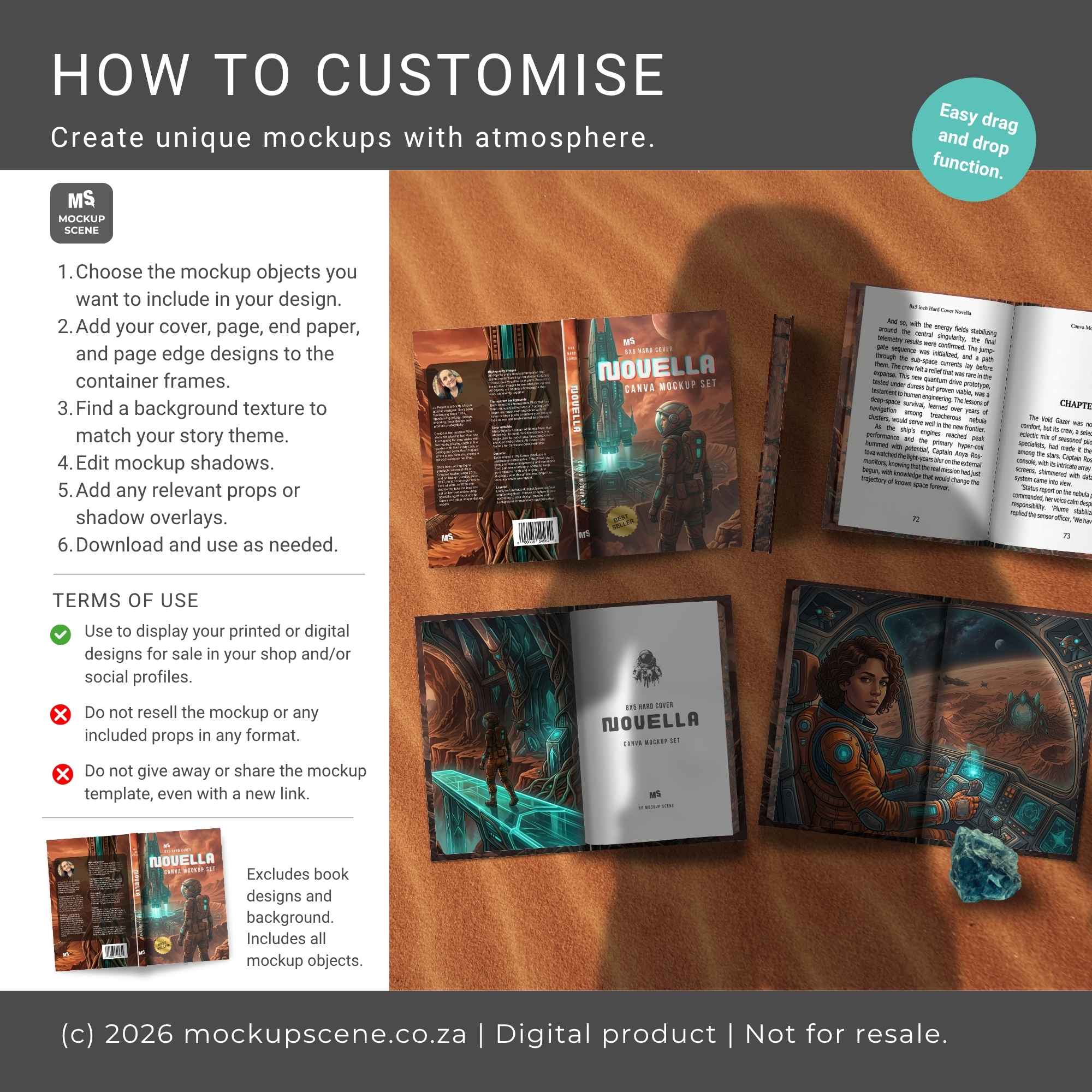
This extensive bundle includes 44 isolated, moveable mockup objects divided into 18 top view (flat lay) and 26 standing view objects. Cover every detail of your hard cover book, from single front/back covers, full cover spreads (in 1 inch, ¾ inch, and ½ inch spine widths), front/back end papers, page spreads, and spines, to custom sprayed page edges (spredges), stacks, rows, and editable slip covers!
Why You’ll Love This Set
Comprehensive 5×8 Hard Cover Views.
Features both flat lay (top view) and standing view options for every part of your book design.
Multiple Spine Widths.
Includes 1 inch, ¾ inch, and ½ inch options for single covers, spreads, spines, and sprayed page edges (spredges) to match your exact page count.
Special Edition Details.
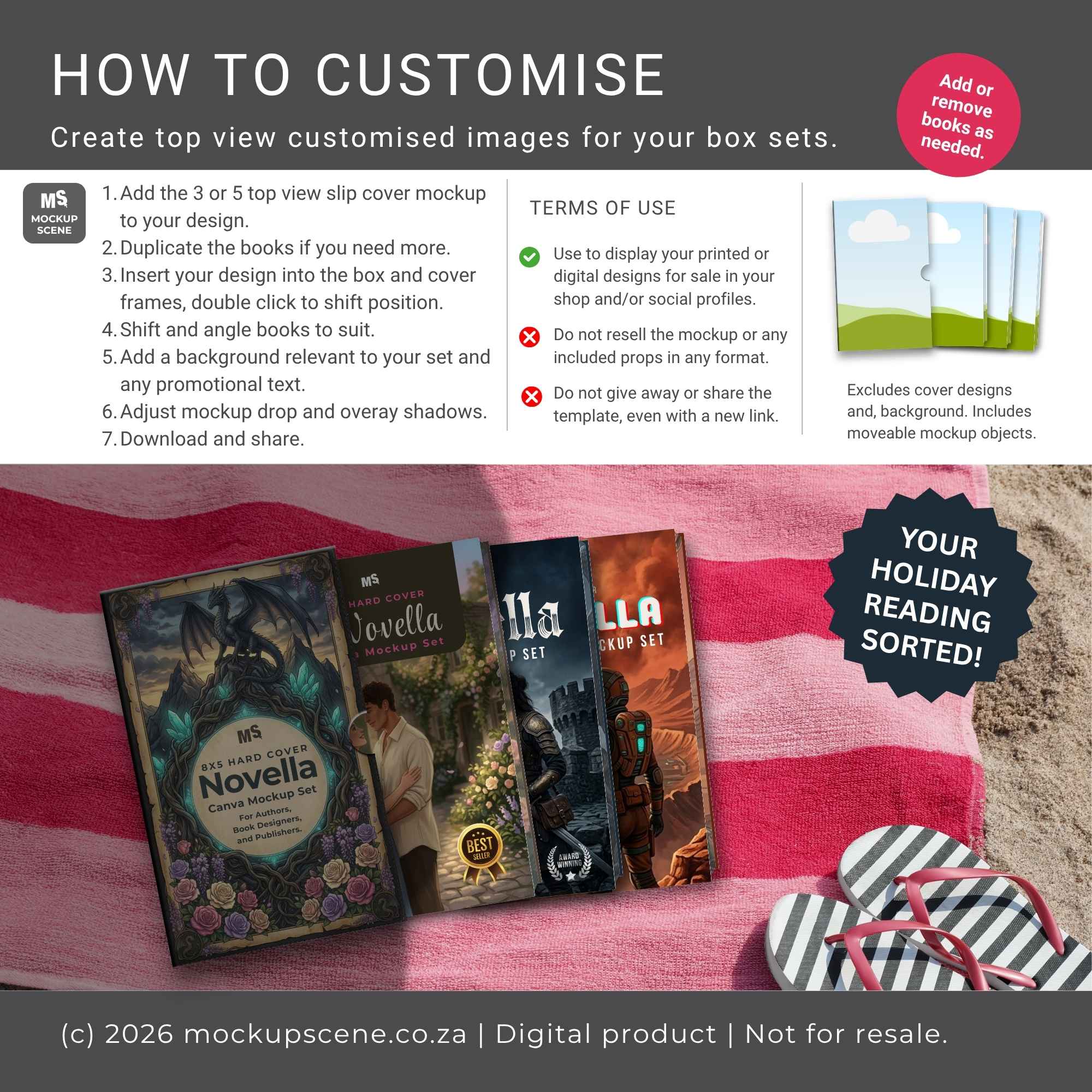
Includes dedicated frames for end papers, sprayed edges (spredges), and multi-book slip covers, perfect for fantasy, special edition, or boxed set reveals.
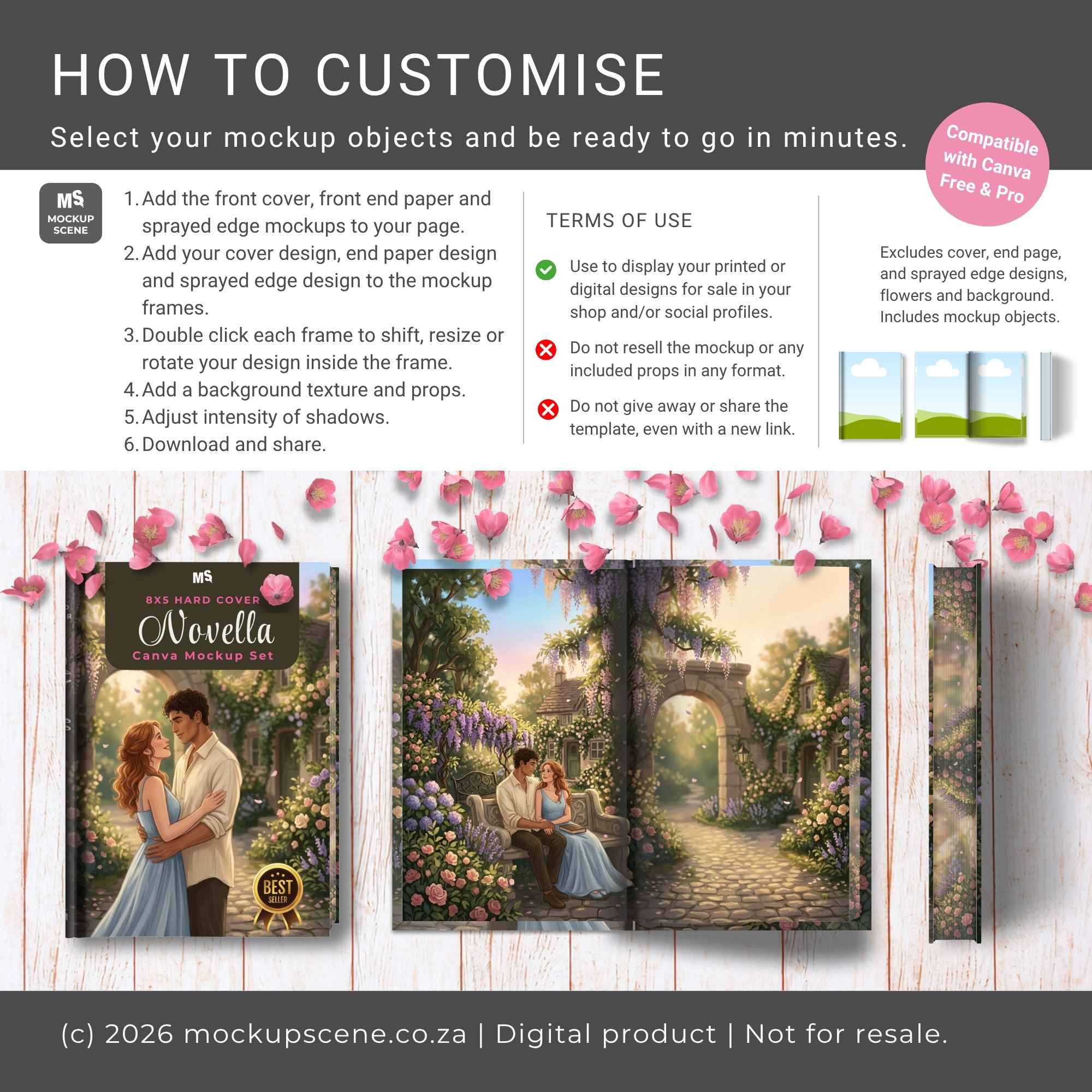
Total Customization.
Adjust cover shadows, edit spine crease shadows and spine shine and shadow. Change cover end colours, and tune separate drop shadow transparencies for realistic depth.
Quick Drag & Drop.
Custom Canva container frames let you drop in your JPG or PNG graphics seamlessly inside Canva. No Photoshop required!
User-Friendly.
Fully compatible with both Canva Free and Pro accounts.
Instructions included.
Detailed instructions included in the notes section of each page, with email support available.
No AI.
All mockup objects are hand-drawn so the quality is high and you’re supporting a human creator.
Who is this mockup for?
Authors & Self-Publishers.
Perfect for creating realistic book cover reveal graphics, pre-order announcements, and Kickstarter campaign visuals for 5×8 hard cover novellas and novels.
Book Cover & Layout Designers.
Ideal for showcasing portfolio pieces, presenting client proofs (including full cover wrap, spine, end papers, and spredges), and building marketing promo kits.
Indie Presses & Book Box Creators.
Great for displaying special edition hard covers, custom sprayed edges, and boxed sets with editable slip covers.
Social Media Managers & Bookstagrammers.
Excellent for building customized high-end flat lay scenes and promotional carousels for Instagram, Pinterest, and shop listings.
Included Mockups
18 Isolated Top View (Flat Lay) Objects.
Front/back single covers, cover spreads (3 spine widths), end papers, page spread, spines, spredges, and slip covers.
26 Isolated Standing View Objects.
Front/back single covers, cover spreads (3 spine widths), end papers, page spread, standing spines and spredges, stacks and rows, and slip cover sets.
Usage Terms
- This mockup bundle is for displaying your personal (freebie only) or commercial designs (paid). Reselling the mockups in any format is prohibited.
- Copying any part of these mockups into new Canva templates for sale or for free distribution is not allowed.
- Please review my License Document before purchasing and using this product.
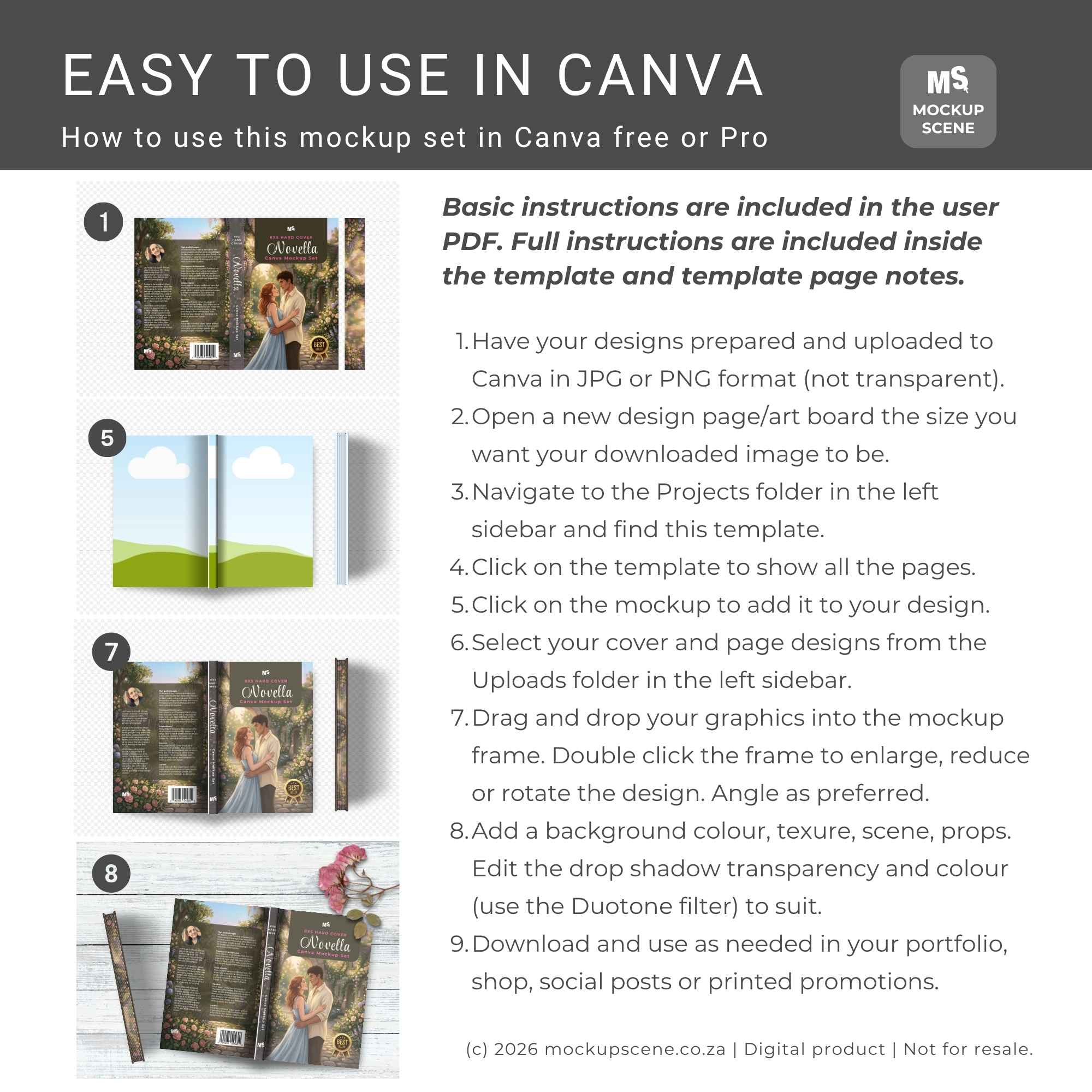
How to Use this Canva Smart Mockup:
- Download & Access.
Start by downloading the User PDF and navigate to page 4 for license details and the Canva template link. Do not try to import the PDF into Canva as it doesn’t contain the mockups. - Upload Your Designs.
Ensure your designs or patterns are uploaded to Canva in JPG or PNG format at the correct size ratio (with no transparent backgrounds). - Customize.
– Import the mockups you want to use into a new Canva design and drag your design into the custom-created container frames.
– Double-click to edit your design inside the frames.
Mockup Summary:
- Format: PDF with Canva access link.
- Template Dimensions: 3000 x 2000 px
- Resolution: 300dpi, perfect for print.
- Object Details: Transparent PNGs with separate, editable shadows.
- Customization: Drag and drop designs into the frames, change plate and rim colour.
- Professional Display: Ideal for showcasing patterns and designs, adding to mockup scenes.
- Instructions: included in template and PDF.
- Requirements: Canva free or Pro.
Stay updated on new products and creative mockup usage by following Mockup Scene on Instagram.
Only logged in customers who have purchased this product may leave a review.


Reviews